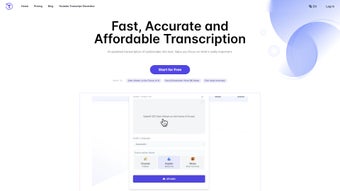

Download Yescribe – AI‑Powered Transcription, Summarization & Multilingual Support
Yescribe is a cloud‑based transcription platform that blends cutting‑edge artificial intelligence with a clean, three‑step workflow: upload, transcribe, export. Built on OpenAI’s Whisper model, the service can turn audio and video files into accurate, searchable text in more than 98 languages. Whether you are a healthcare professional documenting patient visits, a lawyer needing courtroom recordings transcribed, a marketer turning webinars into blog posts, or a student looking to capture lecture audio, Yescribe offers a fast, secure, and affordable solution.
In addition to raw transcription, the app provides AI‑driven summarization, allowing users to grasp the essence of long recordings in seconds. Its web‑first design means you can work from any device—Windows, macOS, Linux, Android, or iOS—without installing bulky software. The platform also emphasizes data confidentiality, employing end‑to‑end encryption and strict privacy policies, making it suitable for industries with stringent compliance requirements.
This review breaks down Yescribe’s core capabilities, installation and usage steps, system compatibility, strengths and weaknesses, and answers the most common questions prospective users ask.
Key Features & Capabilities
- Support for over 98 languages and dialects, powered by Whisper AI.
- Multiple media formats accepted: MP4, MP3, WAV, MOV, AAC, FLV, and more.
- Three‑step workflow (upload → transcribe → export) that eliminates unnecessary clicks.
- AI‑generated summaries that highlight main points and actionable items.
- Secure cloud storage with encryption at rest and in transit.
- Editable transcript editor with timestamps, speaker identification, and searchable keywords.
- Export options include plain text, DOCX, PDF, SRT (subtitle), and JSON.
- Batch processing for bulk uploads, ideal for enterprises handling large volumes.
- Integration‑ready API for developers who want to embed transcription into their own apps.
- Responsive web interface that works on desktop browsers and mobile devices.
The breadth of Yescribe’s language support sets it apart from many competitors that only cover a handful of major languages. By leveraging Whisper’s deep learning models, the service can accurately capture regional accents, background noise, and overlapping speech—common challenges in medical dictation or courtroom recordings. The inclusion of AI summarization is more than a convenience; it provides a quick executive overview, saving time for busy professionals who need to decide whether to dive deeper into a transcript. The editor’s timestamp and speaker‑label features are particularly useful for legal teams that must attribute statements precisely. Finally, the batch processing and API capabilities demonstrate that Yescribe is built not only for individual users but also for organizations looking to scale transcription across departments.
Beyond the headline features, Yescribe invests heavily in user experience. The interface follows a minimalist design language, reducing visual clutter and focusing the user’s attention on the transcription itself. Real‑time progress bars give immediate feedback on how much of the file has been processed, and a confidence meter highlights low‑certainty sections that may need manual review.
For teams, shared project folders enable collaborative editing, comment threads, and version history, ensuring that everyone stays on the same page. Moreover, the platform continuously incorporates updates from the Whisper research community, meaning users benefit from the latest improvements in speech‑to‑text accuracy without any manual upgrades. All these nuances combine to make Yescribe a robust, future‑proof tool for any professional workflow that relies on accurate, multilingual transcription.
Installation, Usage & System Compatibility
Yescribe is a web‑based SaaS platform, which means it runs on any modern browser (Chrome, Edge, Firefox, Safari) across Windows, macOS, Linux, Android, and iOS. No local installation is required, but a stable internet connection is essential for uploading files and receiving real‑time transcription updates.
Getting Started – Step‑by‑Step Guide
- Create an account: Visit yescribe.com, click “Sign Up,” and fill in your email address or use a Google/Apple single‑sign‑on. A verification email confirms your identity.
- Select a plan: Yescribe offers a free tier (up to 30 minutes per month) and paid subscriptions ranging from $9.99/month (250 minutes) to $49.99/month (2,500 minutes). Choose the plan that matches your transcription volume.
- Upload your media: Drag‑and‑drop an audio or video file onto the dashboard or use the “Browse” button. The platform automatically detects the file type and extracts audio if necessary.
- Configure transcription settings: Choose the source language, enable speaker diarization, and decide whether you want a summary. Advanced users can set custom vocabularies for industry‑specific terminology.
- Start transcription: Click “Transcribe.” Within seconds to a few minutes (depending on file length and server load), a draft transcript appears.
- Edit & Review: Use the built‑in editor to correct any mis‑recognitions, add timestamps, or label speakers. The AI highlights low‑confidence segments for quick review.
- Export or share: Choose your preferred format (TXT, DOCX, PDF, SRT, JSON) and download, or share a secure link directly with collaborators.
Because Yescribe operates entirely in the cloud, updates are seamless—new language packs, model improvements, and UI refinements are pushed automatically without user intervention. For organizations with strict data residency requirements, Yescribe offers a “private cloud” option where transcripts are stored on dedicated servers within a chosen geographic region, ensuring compliance with GDPR, HIPAA, or other regulations. The platform also provides detailed audit logs, so administrators can track who accessed which transcripts and when, a critical feature for sectors where data traceability is mandatory.
Users who prefer a more hands‑on approach can take advantage of the RESTful API. By generating an API key in the dashboard, developers can programmatically upload files, retrieve completed transcripts, and even trigger AI summarization on demand. This flexibility enables integration with existing content management systems, CRM tools, or internal knowledge bases, turning Yescribe into a central hub for all audio‑derived content across an enterprise.
Pros, Cons & Frequently Asked Questions
Pros
- Exceptional language coverage (98+ languages) for global teams.
- High accuracy thanks to Whisper AI, even in noisy environments.
- AI summarization reduces time spent reviewing long recordings.
- Secure, encrypted storage with optional private‑cloud deployment.
- Flexible export formats and speaker‑identification features.
- No software installation; works on any device with a browser.
- Competitive pricing with a generous free tier for occasional users.
- Robust API for developers and enterprise integrations.
- Collaborative project folders and version history for team workflows.
- Continuous model updates keep accuracy on the cutting edge.
Cons
- Reliance on internet connectivity; offline transcription not possible.
- Large files (>2 GB) may require compression before upload.
- Advanced features like custom vocabularies are limited to paid plans.
- While the UI is intuitive, power users might miss deeper configuration options available in desktop‑only solutions.
- Transcription speed is tied to server load; peak times can cause slight delays.
- Free tier is limited to 30 minutes per month, which may be insufficient for heavy occasional users.
Overall, the advantages of Yescribe far outweigh its limitations. The platform’s focus on security, multilingual support, and AI‑enhanced productivity makes it a compelling choice for both individual professionals and large organizations. Even the cons are typical of cloud‑based AI services and can be mitigated by selecting an appropriate subscription tier or planning uploads during off‑peak hours. The combination of a generous free tier, transparent pricing, and enterprise‑grade features positions Yescribe as a versatile solution that scales with your needs.
Frequently Asked Questions
How secure is my data on Yescribe?
Yescribe encrypts all files in transit (TLS 1.3) and at rest (AES‑256). The platform adheres to GDPR, HIPAA, and CCPA guidelines, and offers a private‑cloud option for enterprises that need data residency guarantees.
Can I transcribe in real‑time (live audio)?
Currently Yescribe focuses on uploaded recordings. Real‑time transcription is on the roadmap, but for live events you can record locally and upload the file immediately after the session.
What file size limits does Yescribe impose?
Standard accounts accept files up to 2 GB. Larger files can be split using free tools (e.g., FFmpeg) before uploading, or you can request a custom limit via the enterprise sales team.
Does Yescribe support speaker diarization?
Yes. When enabled, the AI automatically detects and labels different speakers, which is especially useful for interviews, meetings, and legal proceedings.
Is there an API for developers?
Yes. Yescribe provides a RESTful API with endpoints for uploading media, retrieving transcripts, and managing projects. Documentation and API keys are available in the user dashboard.
Can I integrate Yescribe with my existing LMS or CMS?
Absolutely. Using the provided API, you can automate transcription of lecture recordings in an LMS or generate subtitles for videos in a CMS. Sample code snippets are included in the developer portal.
Overall, Yescribe delivers a compelling mix of accuracy, language breadth, and security. The AI summarization feature alone makes it a time‑saver for busy professionals, while the flexible export options and robust API cater to developers and enterprises. Minor drawbacks such as reliance on internet connectivity and limited offline capabilities are outweighed by the platform’s continuous improvements and responsive support team. I recommend Yescribe for anyone needing reliable transcription across multiple languages, especially when data privacy is a priority.
Conclusion – Should You Download Yescribe?
If you’ve been searching for a transcription tool that can handle multilingual content, protect sensitive data, and streamline your workflow with AI‑generated summaries, Yescribe is a strong contender. Its web‑first architecture eliminates the hassle of installing and updating software, while the Whisper‑based engine provides industry‑leading accuracy across a vast language set. The free tier is generous enough for occasional users, and the paid plans scale smoothly for larger teams or enterprises. While the need for an internet connection and occasional upload size limits are worth noting, they are common trade‑offs for cloud services that prioritize security and up‑to‑date AI models.
In short, Yescribe combines the best of modern AI transcription with practical features that address real‑world professional needs. Whether you are a doctor, lawyer, marketer, educator, or content creator, the platform can help you convert hours of audio into searchable, editable text in minutes. Its commitment to continuous model upgrades, robust API, and enterprise‑grade security makes it future‑proof for growing businesses. Click the button below to start your free trial, experience the AI summarizer, and see how much time you can save today.



.png)



